


AI Image Generation Mastery 2025: Expert Strategies for Studio-Quality Results
Mastering Professional-Grade AI Image Generation: Advanced Techniques, Expert Strategies, and Industry Secrets for Studio-Quality Results
The gap between novice AI image generation and professional-grade output represents far more than the difference between pressing a button and understanding composition. It involves sophisticated understanding of prompt architecture, technical parameter manipulation, iterative refinement methodology, and post-production enhancement—a comprehensive skillset transforming casual experimentation into reproducible excellence.
Professional creators, designers, and artists who have invested time mastering advanced AI generation techniques now produce work indistinguishable from human creation—often surpassing it in technical consistency and execution speed. Yet these capabilities remain inaccessible to users relying on generic prompting approaches and default settings. The difference isn't technology; it's methodology and expertise.
This comprehensive guide explores the advanced techniques, insider strategies, and professional workflows that separate exceptional AI-generated imagery from generic output—providing actionable frameworks for creators committed to extracting maximum quality from generative AI platforms.
The Foundation: Understanding Prompt Architecture and Structural Precision
Professional-grade AI image generation begins with recognition that prompts represent structured instructions requiring thoughtful organization rather than casual descriptions.
The Anatomy of High-Performance Prompts
Exceptional prompts follow consistent structural patterns that consistently outperform unstructured approaches. Rather than random adjective accumulation, professional prompts organize information into distinct components, each serving specific communicative function.
Subject Definition establishes precisely what the image should feature, with specificity dramatically improving results. Rather than "a woman," exceptional prompts specify "a 35-year-old woman with auburn wavy hair, olive skin tone, sharp cheekbones, wearing a cream-colored wool sweater, seated in natural light." This granular specificity creates reference points the AI system uses to generate coherent imagery.
The precision principle extends to every element. Rather than "a car," professional prompts specify "a 1967 cherry-red Jaguar E-Type convertible, polished chrome trim, leather interior visible, parked on a tree-lined boulevard, midday sunlight reflecting off the hood." This level of detail reduces ambiguity and enables AI systems to generate imagery matching your actual vision rather than generic interpretations.
Style and Aesthetic Definition establishes the overall visual direction—photographic style, artistic movement, or mood. Professional prompts reference specific photographic traditions ("shot in the style of 1970s fashion photography"), artistic movements ("impressionist landscape with visible brushstrokes"), or cinematographic approaches ("cinematic with dramatic chiaroscuro lighting reminiscent of Caravaggio").
These style references provide crucial directional guidance. AI systems recognize these reference points from their training data and apply comparable aesthetic principles to your subject matter. A prompt specifying "in the style of Wes Anderson films" generates fundamentally different composition, color palette, and framing than "in photorealistic style."
Technical Specifications constitute perhaps the most powerful dimension separating professional from amateur prompts. Rather than hoping AI produces "good quality" images, professionals explicitly specify technical parameters:
Camera specifications: "shot on Canon EOS R5 with 85mm f/1.4 lens"
Lighting specifications: "golden hour side lighting with diffused soft shadows"
Resolution and quality: "8K resolution, ultra-sharp focus, maximum detail"
Depth of field: "shallow depth of field with beautiful bokeh background"
Color treatment: "warm color grade with slight desaturation of blues"
These technical specifications might seem like excessive detail, yet they fundamentally improve output quality. AI systems trained on photographer documentation and camera specification language recognize these terms and apply them consistently.
Composition and Framing Specifications guide spatial organization. Professional prompts specify "rule of thirds composition with subject off-center," "low-angle shot emphasizing subject scale," "close-up macro photography," or "wide panoramic framing." These specifications ensure spatial organization aligns with your vision rather than defaulting to centered generic framing.
Structural Template for Consistent Excellence
Rather than ad-hoc prompting, professional creators employ structural templates ensuring consistent inclusion of essential elements:
text
[SUBJECT DEFINITION], [DETAILED CHARACTERISTICS], [ACTION/EXPRESSION] [SETTING/ENVIRONMENT], [LIGHTING SPECIFICATIONS] [TECHNICAL CAMERA DETAILS], [STYLE/AESTHETIC REFERENCES] [RESOLUTION/QUALITY TARGETS], [MOOD/ATMOSPHERE]
Example Professional Prompt:
"A 42-year-old male architect with salt-and-pepper hair, sophisticated black-rimmed glasses, wearing a tailored charcoal suit, standing before architectural blueprints in his studio, studying plans intently with contemplative expression. Modern minimalist architectural office with floor-to-ceiling windows overlooking a contemporary city skyline. Warm afternoon sunlight streaming through windows creating geometric shadows across the workspace. Shot on Hasselblad 907X with Carl Zeiss Distagon 60mm lens, f/2.8 aperture, ISO 100. Cinematic lighting in the style of architectural photography by Julius Shulman, dramatic chiaroscuro with precise shadow definition. 8K resolution, ultra-sharp focus on subject's face and hands, subtle film grain. Professional, sophisticated, intellectually engaged mood. Color graded with warm golden tones, muted cool shadows."
This structured approach consistently produces superior results compared to casual prompting because it provides comprehensive directional information across aesthetic, technical, and compositional dimensions simultaneously.
Advanced Technique #1: Strategic Use of Negative Prompting
While positive prompts guide generation toward desired results, negative prompts prove equally valuable for explicitly excluding undesired elements and common AI artifacts.
Common AI failures include distorted hands, unrealistic facial features, anatomical impossibilities, excessive symmetry, unnatural textures, and repetitive patterns. Rather than hoping to avoid these through positive prompting alone, professional creators explicitly exclude them through negative prompts.
Effective negative prompt examples:
For portraits: "avoid: distorted hands, extra fingers, unnatural facial proportions, plastic skin texture, oversaturated colors, uncanny valley expressions"
For complex scenes: "avoid: floating objects, impossible physics, duplicate elements, blurry hands, text artifacts, distorted backgrounds"
For landscapes: "avoid: unnatural perspective, impossible terrain, color banding, jpeg artifacts, excessive symmetry"
Negative prompts work particularly effectively when specific about artifact types rather than generic exclusions. "No distortion" proves less effective than "no melted features, no impossible perspective, no uncanny expressions."
The balance between positive and negative prompting matters substantially. Too many negative prompts can over-constrain generation, producing bland results. Professional practice targets 3-6 specific negative prompts paired with comprehensive positive prompting rather than extensive restriction lists.
Advanced Technique #2: Iterative Refinement and Variation Analysis
Professional-grade AI image generation rarely produces publication-ready results from single generation. Instead, successful workflows employ systematic iteration, analyzing outputs and progressively refining prompts toward optimization.
The Iterative Analysis Framework
Rather than generating once and accepting results, professionals execute deliberate iteration cycles:
Generation Phase: Create 4-6 variations with slightly modified prompts, testing specific element changes. "Does more specific lighting language improve results? Does adding camera specification details change output quality? Does different style reference produce better aesthetic alignment?"
Analysis Phase: Evaluate generated variations against specific criteria. What succeeded? What failed? Which elements brought the image closer to vision? Which generated unexpected but potentially valuable results? Professional analysis focuses on specific dimensions rather than generic "I like it" or "I don't like it" responses.
Refinement Phase: Modify prompts based on analysis. If lighting specification improved results, expand lighting description in next iteration. If specific camera reference enhanced professionalism, strengthen equipment specification. Build refined prompts layer-by-layer based on evidence from previous generations.
Repeat: Continue iteration until generated imagery meets or exceeds your quality targets. Most professional creators require 5-8 iteration cycles for complex images.
This iterative methodology transforms AI generation from lottery (random success) into systematic craft (controlled excellence). You're essentially training yourself to understand how specific prompt elements influence generation outcomes, enabling increasingly targeted refinement.
Advanced Technique #3: Parameter Mastery and Sampling Optimization
Beyond prompt language, technical parameters dramatically influence output quality. Professional creators understand how to manipulate parameters for specific effects.
Guidance Scale (Classifier-Free Guidance)
Guidance scale controls how strongly the AI adheres to your prompt. Lower guidance values (3-5) produce creative, unexpected results but with higher hallucination risk. Higher values (8-15) produce conservative adherence but risk over-saturation, plasticky appearance, and excessive detail compaction.
Professional practice typically targets guidance values of 5-8 for balanced results. Photorealistic portraits often benefit from 6-7. Artistic work tolerates lower values (4-6) enabling more creative interpretation.
Sampling Steps
Sampling steps control refinement iterations during generation. Lower steps (20-30) produce faster results but lower quality. Higher steps (50-100+) require longer processing but generate substantially finer detail and coherence.
Professional practice typically employs 50-75 steps for quality-priority work. Experimentation suggests diminishing returns beyond 100 steps; quality improvements plateau while processing time continues increasing linearly.
Seed Values for Consistency
Seed values control the random number generator initialization. Fixing seed values enables reproducibility—regenerating images with identical seeds produces virtually identical results (with minor variations from different parameter tweaks).
Professional workflows fix seeds when iterating on specific variations, enabling A-B comparison of prompt modifications. Once optimal seed and prompt combination is identified, that seed becomes fixed reference for any future regenerations.
Advanced Technique #4: Multi-Image Reference and Style Transfer
Advanced platforms enable uploading reference images, guiding generation through visual precedent rather than language alone.
This capability proves particularly valuable for maintaining consistency across multiple images. Upload a reference establishing desired aesthetic, lighting style, and color palette, then generate variations knowing they maintain consistent visual language.
For complex compositions, uploading sketch or compositional reference ensures layout alignment with your vision. Rather than describing "rule of thirds composition with subject positioned lower-left," upload a sketch showing exact positioning, enabling AI to interpret layout precisely.
Style Transfer Advanced Application
Professional creators combine multiple references for sophisticated results. Upload: (1) photographic reference establishing lighting style, (2) color palette reference establishing color direction, (3) compositional sketch guiding layout, (4) texture reference establishing surface quality. This multi-reference approach generates coherent results reflecting multiple directional inputs simultaneously.
Advanced Technique #5: Eliminating the "AI Look"
Professional work requires eliminating telltale visual signatures identifying images as AI-generated. Several strategies prove effective.
Parameter Adjustment Strategy
Research shows that default parameter settings—particularly excessive guidance scale (15+) and insufficient sampling steps—produce the characteristic "AI look" of over-polished, hyper-real, almost plastic-appearing imagery.
Professional practice uses lower guidance (5-7), higher steps (75+), and de-distilled model variants (where available) to reduce this characteristic appearance. The results feel less "perfect" but more authentic.
Post-Generation Enhancement
Even after generation, subtle post-processing modifications dramatically improve authenticity:
Film grain addition: Subtle noise/grain reduces the plastic appearance inherent in AI output
Color balance adjustment: Slight color asymmetry and imperfection replaces perfect chromatic consistency
Texture variation: Adding micro-variations to uniform surfaces creates natural irregularity
Lighting adjustment: Subtle shadow modification reduces the even, artificial quality of AI lighting
Vignetting: Subtle edge darkening creates authentic lens appearance
These adjustments might seem minor, yet collectively they transform professional-but-obviously-AI work into convincingly authentic-appearing imagery.
Advanced De-AI Techniques
Sophisticated professionals employ additional techniques:
Upscaling with reduced parameters: Re-upscaling generated images with lower guidance/creativity settings "humanizes" the appearance
Selective editing: Manually refining suspicious areas (hands, eyes, backgrounds) creates authenticity through human intervention
LUT (Look Up Table) application: Professional color grading tools apply cinematic color grading eliminating the "digital" appearance
Chromatic aberration addition: Subtle color channel misalignment creates authentic optical lens appearance
Advanced Technique #6: Specialized Applications and Domain Expertise
Different image categories require domain-specific optimization understanding both technical requirements and quality standards.
Photorealistic Portraiture
Photorealistic portraits require:
Specific camera documentation ("shot on Sony A7R IV, 85mm Zeiss lens")
Skin texture emphasis ("detailed skin texture with visible pores, natural skin variations")
Eye detail priority ("crystal clear eyes with visible iris detail and natural pupil response")
Lighting specification ("soft three-point studio lighting with catch lights in both eyes")
Negative prompts explicitly preventing common portrait failures ("no plastic skin, no airbrush effect, no unnatural symmetry")
Portrait specialists report that specifying "photojournalistic" or "editorial" style produces superior results to generic "photorealistic" language.
Commercial Product Photography
Professional product photography requires:
Specific material descriptions ("brushed aluminum, polished chrome trim, matte black plastic accents")
Surface quality emphasis ("perfect surface without blemishes, dust, or imperfections")
Lighting optimization for product ("studio lighting with key light from upper-left, fill light from right, subtle backlight")
Background specification ("pure white infinity backdrop with subtle shadow underneath")
Camera specifications emphasizing product detail ("macro lens, extreme shallow depth of field, product perfectly sharp with beautiful background blur")
Architectural Visualization
Architectural work requires:
Spatial precision ("wide-angle perspective emphasizing scale and proportion")
Material specification ("concrete surfaces weathered with subtle patina, glass reflecting surrounding environment")
Lighting for space ("afternoon light streaming through windows creating dramatic spatial shadows")
Environmental context ("surrounding landscape visible in background suggesting location and context")
Atmospheric conditions ("clear sky with subtle cloud detail, atmospheric perspective establishing depth")
Landscape Photography
Landscape specialists employ:
Geographic specificity ("Alpine mountain landscape with dramatic jagged peaks")
Time specification ("golden hour sunset lighting with warm directional light")
Atmospheric detail ("mist-filled valleys, atmospheric haze in distant mountains")
Compositional tradition ("Ansel Adams landscape photography style with dramatic contrast and maximum depth of field")
Weather conditions ("dramatic storm lighting with sunlight breaking through dark clouds")
Advanced Technique #7: Tool Selection and Platform Specialization
Different platforms excel for different applications. Professional knowledge includes understanding platform strengths and selecting accordingly.
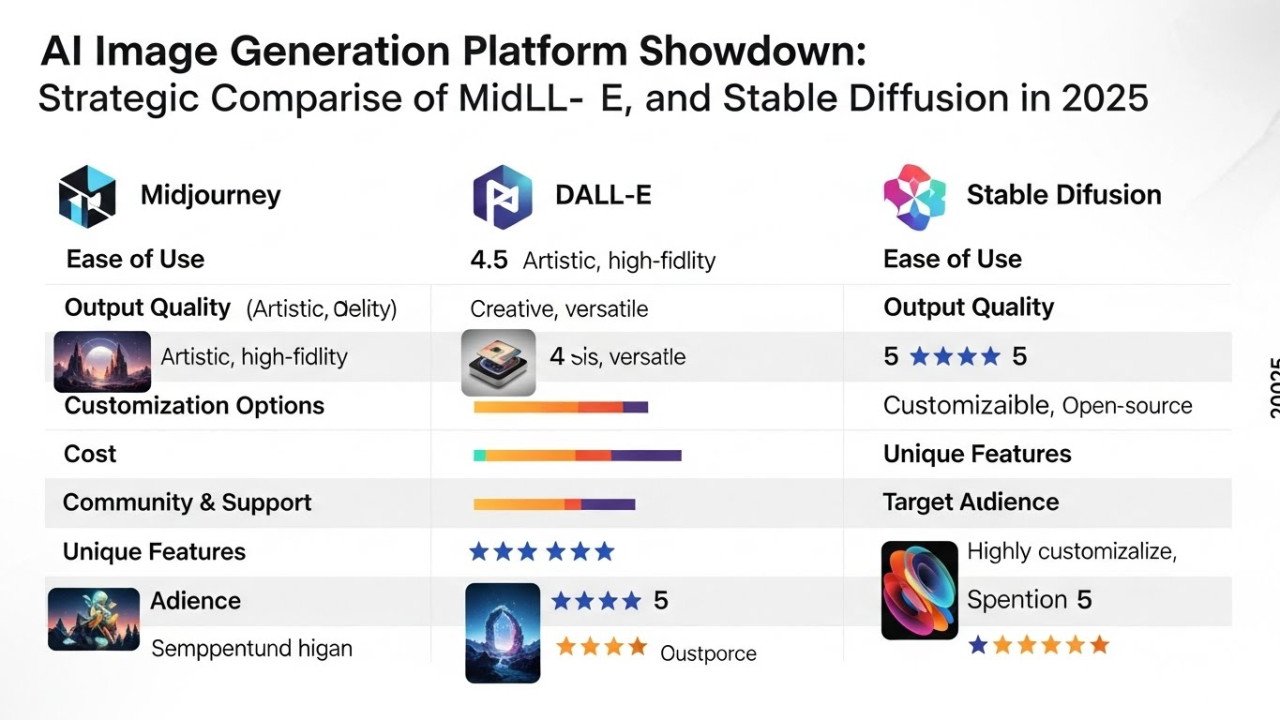
DALL-E 3 and 4o excels at: Text rendering, complex prompt interpretation, narrative scenarios, multimodal integration
Midjourney specializes in: Artistic and stylized imagery, aesthetic control, creative interpretations
Stable Diffusion advantages: Local processing capability, extreme customization, parameter fine-tuning control, community models
Flux variants excel at: Speed (Flux Schnell), quality (Flux Pro), detailed control
Google Imagen: Multimodal capability, video integration, photorealistic output
Professional workflows often employ multiple platforms for different aspects—using Midjourney for initial concept exploration, Stable Diffusion for parameter-intensive refinement, and DALL-E for text-heavy elements requiring semantic accuracy.
Advanced Post-Production Enhancement: From Generated to Publication-Ready
Professional practice recognizes that generation represents first step, not final output. Systematic post-production enhancement transforms promising generations into publication-grade imagery.
Upscaling Strategies
Quality upscaling dramatically improves image resolution and detail. Professional practice employs specialized upscaling tools understanding different image types:
Smart Upscale: Improves realism and detail for portraiture and complex imagery
Dynamic Upscale: Adds detail and enhancement to AI-generated images
Precise Upscale: Preserves original content while increasing resolution (ideal for non-AI content)
Professional upscaling typically targets 2-4x enhancement, balancing quality improvement against processing time.
Inpainting and Refinement
Even high-quality generations sometimes include problematic elements. Professional tools enable targeted refinement:
Hand and finger correction: Specialized tools (Fooocus, Firefly) detect anatomical errors and regenerate affected regions
Face refinement: Facial structure, expression, or features can be regenerated while preserving surrounding imagery
Background cleanup: Unwanted artifacts or elements can be removed or replaced without affecting subjects
Detail enhancement: Specific regions can be upscaled or refined for additional detail
Color Grading and LUT Application
Professional post-production applies color grading using LUT (Look Up Table) tools that systematically modify color response. LUTs can:
Apply cinematic color grading establishing mood and atmosphere
Create period-specific color palettes (vintage, modern, futuristic)
Establish brand color consistency across multiple images
Apply corrections addressing color cast or imbalance
Composite Integration
For commercial work, AI-generated elements frequently integrate into broader compositions. Professional practice involves:
Extracting AI-generated subjects from backgrounds
Compositing into custom environments
Blending multiple AI-generated elements into cohesive scenes
Integrating AI elements with photographed components
Quality Control and Professional Standards
Professional AI image creation requires systematic quality evaluation ensuring output meets publication standards.
Quality Assessment Checklist
Before publication, professional work undergoes evaluation across multiple dimensions:
| Dimension | Assessment Questions |
|---|---|
| Anatomical Accuracy | Do hands, faces, and body proportions appear natural and correct? |
| Lighting Coherence | Does lighting direction, intensity, and color remain consistent throughout? |
| Material Authenticity | Do material surfaces (skin, fabric, metal) reflect properties authentically? |
| Perspective Logic | Does spatial perspective follow physical reality without impossible geometry? |
| Color Harmony | Does color palette feel intentional and cohesive rather than random? |
| Detail Consistency | Does detail level remain consistent rather than hyperdetailed regions adjacent to vague areas? |
| Artifact Absence | Are there any visible AI artifacts (impossible textures, distortions, floating elements)? |
| Emotional Impact | Does the image communicate intended mood and message effectively? |
Images failing any dimension undergo targeted refinement rather than acceptance as-is.
Frequently Asked Questions: Professional AI Image Generation
How do I eliminate the plastic "AI look" from generated images?
Use lower guidance scales (5-7), higher sampling steps (75+), de-distilled models, and post-processing enhancement including film grain, color variation, and subtle edge effects. The "AI look" results from default settings; adjusting parameters changes aesthetic fundamentally.
Which AI platform is best for professional work?
No universal best exists. DALL-E excels for text-heavy work, Midjourney for artistic imagery, Stable Diffusion for customization, Flux for speed, Google Imagen for multimodal work. Professional practice often employs multiple platforms.
How many iterations typically achieve professional results?
Most professional work requires 5-8 iteration cycles. Complex imagery or unfamiliar aesthetics may require 10-15 iterations. The iterative process is where expertise develops—each iteration teaches you how specific prompt elements influence output.
What's the most important element of professional AI generation?
Prompt precision. Vague prompts generate vague results. Specific, structured prompts generate specific, predictable results. Learning to articulate visual ideas precisely through language is foundational.
How do I maintain consistency across multiple AI-generated images?
Use fixed seed values, documented style references, consistent camera specifications, and consistent lighting descriptions. Create style templates that all variations follow, ensuring visual coherence across series.
Can AI-generated images replace professional photography?
For specific applications (conceptual work, product mockups, architectural visualization), yes. For authentic capture (events, documentary), no. Each has distinct value propositions.
How do I fix common problems like distorted hands?
Use negative prompts excluding hand distortions, specify hand detail ("detailed hands with natural proportions, visible finger articulation"), use inpainting tools to regenerate problematic regions, or employ specialized hand-correction tools.
Should I disclose AI generation in professional work?
Ethical practice requires transparency about AI use, particularly where authenticity expectations exist (photojournalism, portraits). For conceptual work or design applications, disclosure standards are evolving but transparency generally builds trust.
What skills transfer from traditional photography to AI generation?
Composition, lighting, color theory, and art direction transfer directly. Understanding why specific visual choices work enables directing AI toward excellence. Photography or design background provides crucial foundation for professional AI work.
How do I develop expertise in AI image generation?
Practice methodically. Document which prompts produce which results. Maintain prompt libraries noting what worked. Experiment systematically with parameter variations. Analyze failures to understand what caused problems. Expertise develops through disciplined experimentation rather than casual experimentation.


Comments (0)
No comments found