


AI Image Generation Pitfalls 2026: How to Avoid Errors & Fix Bad Results
Avoiding AI Image Generation Pitfalls: Comprehensive Error Prevention Guide, Advanced Solutions, and Professional Best Practices for Superior Results
Artificial intelligence image generation represents one of contemporary creativity's most powerful tools, yet most users fail to extract maximum potential because they repeat identical mistakes. These errors cluster into predictable patterns: vague prompting that generates generic results, anatomical disasters nobody anticipated, technical settings left unchanged, and approaches ignoring fundamental limitations AI systems exhibit.
The gap between mediocre and exceptional AI-generated imagery stems rarely from tool limitations and frequently from user methodology. A professional operating methodically produces results dramatically superior to casual experimentation—not because they possess magic prompts but because they understand systematic approaches that reliably deliver quality.
This comprehensive guide catalogs the most consequential mistakes users make, explains why these errors produce poor results, and provides specific solutions transforming output quality measurably. Understanding and avoiding these pitfalls represents the practical difference between frustrating mediocrity and consistently impressive results.
Foundational Mistakes: The Core Errors Undermining Results
Rather than accumulating thousands of minor mistakes, most users make handful of foundational errors that cascade through entire workflows.
Mistake #1: Vague and Underspecified Prompts
The Problem: Users provide minimal information assuming AI systems can somehow infer their vision from sparse details. "Create a professional product photo" or "make an outdoor scene" represent prompts so vague that AI systems fill massive information gaps with generic defaults—resulting in generic, uninspired output.
AI systems require explicit direction. Without specifics, they revert to training data patterns—the most statistically common representations. Most landscape photographs share visual characteristics (certain compositions, lighting patterns, atmospheric conditions); without directional specification, AI gravitates toward these patterns predictably.
Why This Happens: Users underestimate how much information language must convey. A human designer might envision specific details mentally without articulating them, assuming language handles obvious implications. AI systems possess no such assumptions; they require explicit specification.
The Solution: Structure prompts methodically, specifying distinct dimensions clearly. Rather than "product photo of a chair," structure as: "high-end office chair, ergonomic design, midnight blue fabric, chrome base, photographed in modern minimalist office environment, overhead natural light, professional product photography style, clean white backdrop, sharp focus on chair details, commercial quality."
This explicit specification replaces ambiguity with direction. Each component addresses distinct question: what is the subject, its characteristics, the setting, the photographic style, the technical approach.
Implementation Formula:
text
[Subject] + [Characteristics] + [Setting] + [Lighting] + [Photography Style] + [Technical Specs] + [Mood]
Mistake #2: Overloading Prompts with Contradictory Information
The Problem: Paradoxically, adding information doesn't always improve results. Excessive specification—particularly contradictory specification—confuses AI systems rather than directing them.
A prompt requesting "chaotic creative energy but perfectly balanced composition" sends contradictory instructions. Should composition be chaotic or balanced? AI systems struggle reconciling these conflicts, producing compromised results satisfying neither direction.
Similarly, impossibly complex scenes—"a underwater city with flying dragons, bustling market, crystal cathedrals, detailed architecture, photorealistic quality, thousands of people"—overwhelm AI systems. Each element competes for computational attention; the result deteriorates as complexity increases.
Why This Happens: Users conflate "more details equals better results." They attempt to specify every imaginable aspect, forgetting that AI systems have finite processing capacity.
The Solution: Practice constraint through deliberate focus. Identify 3-5 primary elements deserving specification. Build complexity gradually through iteration rather than attempting comprehensive specification in single prompt.
Bad Approach: "Modern futuristic cyberpunk city with flying cars, neon lights, rain, detailed reflections, robot police, holographic advertising, detailed buildings, underground markets, complex infrastructure, multiple city levels, flying drones, autonomous vehicles, busy streets, nighttime atmosphere..."
Better Approach: "Cyberpunk city at night. Rain-soaked streets. Neon signs reflected on wet pavement. A hooded figure stands under streetlight. Flying cars visible in background. Detailed environment but focused composition."
The second prioritizes clearly while maintaining visual complexity.
Mistake #3: Neglecting Art Style and Medium Specification
The Problem: Without style specification, AI produces generic "digital rendering" quality—technically competent but aesthetically undefined. Users receive images lacking particular artistic character because they failed specifying what character they desired.
This represents critical distinction between acceptable and impressive. Professional results exhibit intentional aesthetic direction—photojournalistic style, oil painting technique, watercolor aesthetic, cyberpunk illustration approach—whatever stylistic commitment the vision demands.
Why This Happens: Users assume "professional quality" occurs automatically. In reality, professional quality requires explicit aesthetic direction. AI systems trained on millions of images learn countless stylistic approaches; without guidance, they apply statistical average style rather than intentional choice.
The Solution: Specify art style and medium explicitly and early in prompts:
Instead of: "Create an illustration of a mountain landscape"
Try: "Mountain landscape in watercolor painting style, soft muted colors, loose brushstrokes, impressionistic technique, atmospheric perspective, winter snowfall"
Or: "Mountain landscape in the style of ansel adams black and white photography, dramatic tonal range, strong contrast, detailed texture, wilderness photography"
Style specification transforms output fundamentally. The identical subject rendered through different styles produces dramatically different emotional impact and aesthetic quality.
Style Reference Database: Develop personal library of style references. Photographer names (Henri Cartier-Bresson, Cindy Sherman), artistic movements (Art Deco, Bauhaus, Surrealism), illustrators (Maxfield Parrish, Kate Beaton), cinematographers (Roger Deakins, Janusz Kaminski)—these references communicate aesthetic direction reliably.
Technical Mistakes: Settings and Parameters Generating Suboptimal Results
Beyond prompt quality, misunderstanding technical parameters produces inferior results systematically.
Mistake #4: Failing to Specify Composition and Viewpoint
The Problem: AI generates images without compositional direction—framing, perspective, camera position. The result: awkward framing, poor composition, elements positioned unexpectedly.
A human photographer considers composition fundamentally: establishing camera height, distance from subject, angle, horizontal/vertical orientation, rule-of-thirds positioning. AI systems need equal explicitness.
Why This Happens: Users focus on "what" to show without specifying "how to show it." They describe content but omit framing decisions.
The Solution: Explicit composition specification:
"Close-up portrait, shot from slightly above, intimate perspective"
"Wide-angle establishing shot, landscape orientation, figure positioned lower-left"
"Bird's-eye view, overhead perspective, dramatic angle"
"Extreme close-up macro photography, shallow depth of field"
These specifications dramatically improve compositional results.
Mistake #5: Defaulting to Generic Settings Without Optimization
The Problem: Most users never explore advanced settings. They accept default guidance scale, sampling steps, and seeding, leaving massive optimization potential unexploited.
These parameters fundamentally influence output quality. Guidance scale controls AI's adherence to prompts (lower values produce creative interpretations; higher values produce conservative strict adherence). Sampling steps determine refinement iteration count (more steps equal finer detail but longer processing). Seed values enable reproducibility and variation control.
Default settings represent compromises optimized for general use. Your specific requirements likely demand parameter adjustment for optimal results.
Why This Happens: Settings appear technical and intimidating. Users avoid them despite enormous quality impact.
The Solution: Understand parameter impact and experiment deliberately:
| Parameter | Purpose | Optimization |
|---|---|---|
| Guidance Scale | Prompt adherence strength | Portraits/photorealism: 6-8; Artistic work: 4-6; Strict adherence needed: 10-12 |
| Sampling Steps | Refinement iterations | Quality priority: 75+ steps; Speed priority: 30-50; Diminishing returns beyond 100 |
| Seed Value | Random generation base | Fix seed for A-B testing parameter variations |
| Negative Prompts | Exclusion specification | Explicitly list unwanted elements systematically |
| Upscaling | Output resolution increase | 2-4x upscaling effective; beyond 4x shows diminishing returns |
Practical Optimization Approach: Run identical prompt with different parameter combinations. Document results. Identify patterns distinguishing optimal from suboptimal results.
Mistake #6: Ignoring Lighting and Color Specification
The Problem: Vague prompts produce flat, emotionally generic imagery. Without lighting specification, AI defaults to generic "even illumination." Without color direction, default palette emerges looking uninspired.
Lighting determines mood profoundly. Harsh directional light creates drama. Soft diffused light creates intimacy. Golden hour light creates warmth. The same subject photographed with different lighting appears completely different emotionally.
Color similarly carries enormous weight. Warm color palettes feel welcoming; cool palettes feel isolating. Saturated colors feel energetic; desaturated feel contemplative. Without specification, AI applies training data average.
Why This Happens: Users focus on content ("what exists in the image") rather than presentation ("how light and color shape emotional impact").
The Solution: Specify lighting and color deliberately:
Instead of: "Portrait of a woman"
Try: "Portrait of a woman. Golden hour warm sunlight from side, soft shadows on opposite face. Warm color grading with slight desaturation. Intimate, romantic mood."
Or: "Portrait of a woman. Dramatic rim lighting from behind, dark moody atmosphere. Cool blue tones with warm skin tones contrasting. Cinematic noir lighting."
These specifications fundamentally transform output emotional impact.
Content Mistakes: Requesting Impossible or Problematic Results
Certain requests systematically produce poor results regardless of specification quality because they exceed AI capabilities.
Mistake #7: Requesting Readable Text Generation
The Problem: AI systems notoriously fail at readable text generation. Prompting for images containing text reliably produces garbled, illegible, nonsensical results. The text appears present but remains unreadable—a fundamental limitation most users discover frustratingly through experience.
Why This Happens: Text generation represents fundamentally different task from image generation. While image models excel at visual patterns, they struggle with precise symbolic representation text requires.
The Solution: Accept this limitation and work around it. Generate images without text, then add typography afterward using graphic design tools. This two-step approach eliminates the problem entirely.
Generate: "Coffee shop storefront, warm lighting, inviting aesthetic"
Then in design tool: Add "Sweet Bean Coffee" signage, menu details, promotional text
This workflow produces superior results with less frustration than attempting AI text generation repeatedly.
Mistake #8: Generating Complex Human Anatomy and Body Distortions
The Problem: AI struggles with human anatomy, particularly hands, fingers, and complex pose arrangements. Users requesting "multiple people in complex poses" frequently receive distorted anatomical results that no post-processing can salvage—extra fingers, impossible joint positions, unnatural proportions.
This represents class of AI limitation: inherent challenge with complex anatomical accuracy. Some platforms have improved significantly, but distortions remain common, particularly with multiple figures.
Why This Happens: Human anatomy involves precise constraints AI systems sometimes violate. Complex multi-person compositions multiply distortion probability.
The Solution: Constraint-based workarounds:
Limit people count: Single figure far more reliable than multiple people. If multiple figures essential, space them so individual anatomy can be rendered separately.
Simple poses: Simple standing or sitting poses more reliable than complex dynamic poses. Avoid extreme angles, overlapping figures, complex hand positions.
Strategic framing: Frame shots from angles that conceal problematic areas. Full-body distant shots reduce hand detail requirements. Torso crops eliminate leg distortion possibilities.
Post-generation refinement: Accept that some corrections may require inpainting or manual editing. Use inpainting tools to regenerate anatomically incorrect regions.
Example approach: Rather than "Five people dancing energetically," request "Close-up of two people's torsos dancing, intimate framing, hands not visible." Simpler requirements, dramatically better results.
Mistake #9: Attempting Photorealistic Precision for Complex Scenes
The Problem: Users request "photorealistic detailed image of [impossibly complex scene]," expecting AI to generate photograph-quality precision for complicated compositions. AI struggles balancing complexity and photorealism simultaneously. Attempting both often produces neither—attempts at excessive detail frequently degrade into uncanny, artificial-appearing results.
Why This Happens: Photorealism demands extraordinary precision. Massive complexity multiplies opportunities for error. Combining both creates near-impossible requirements.
The Solution: Prioritize deliberately. Choose complexity OR photorealism, not both simultaneously:
High complexity + artistic style: "Cyberpunk scene with dozens of flying vehicles, neon signs, detailed architecture, painted in cyberpunk digital art style" works better than photorealistic equivalent.
Photorealistic + simple composition: "Professional product photography of luxury watch, macro detail, studio lighting, clean backdrop" achieves photorealism through simplicity.
Depth of field and composition framing help. Distant shots encompassing complex environments should prioritize aesthetic over photorealistic detail. Close-ups of simple subjects can achieve genuine photorealism.
Strategic Mistakes: Workflow and Methodology Issues
Beyond specific errors, broader strategic approaches undermine results.
Mistake #10: Accepting First Generation Without Iteration
The Problem: Users generate once and accept results, missing the critical iterative refinement that separates mediocre from exceptional output. AI generation shouldn't be "generate once and use"—it should be "generate, evaluate, refine, regenerate" cycle.
Professional AI operators generate 5-15 variations iteratively, evaluating each against criteria and progressively refining toward optimal results. Casual users generate once and accept whatever emerges.
Why This Happens: Iteration requires discipline and planning. Users expect "AI magic" to deliver perfection immediately, abandoning the tool when results prove merely adequate.
The Solution: Establish systematic iteration approach:
Initial generation: Create 5 variations with prompt expressing general direction
Evaluation: Assess which directions worked best; identify what succeeded
Refinement: Modify prompts based on evaluation. If lighting worked well, emphasize further. If composition failed, specify more precisely.
Second generation: Create 5 new variations with refined prompts
Repeat: Continue until results meet quality targets
Iteration Documentation: Maintain simple spreadsheet tracking prompts, parameters, and results. Over time, patterns emerge showing which modifications produce desired effects.
This iterative methodology transforms results from "acceptable if lucky" to "reliably professional quality."
Mistake #11: Neglecting Platform-Specific Strengths
The Problem: Users default to familiar platforms regardless of specific task requirements. Each platform excels for distinct purposes; applying wrong platform to specific task produces suboptimal results.
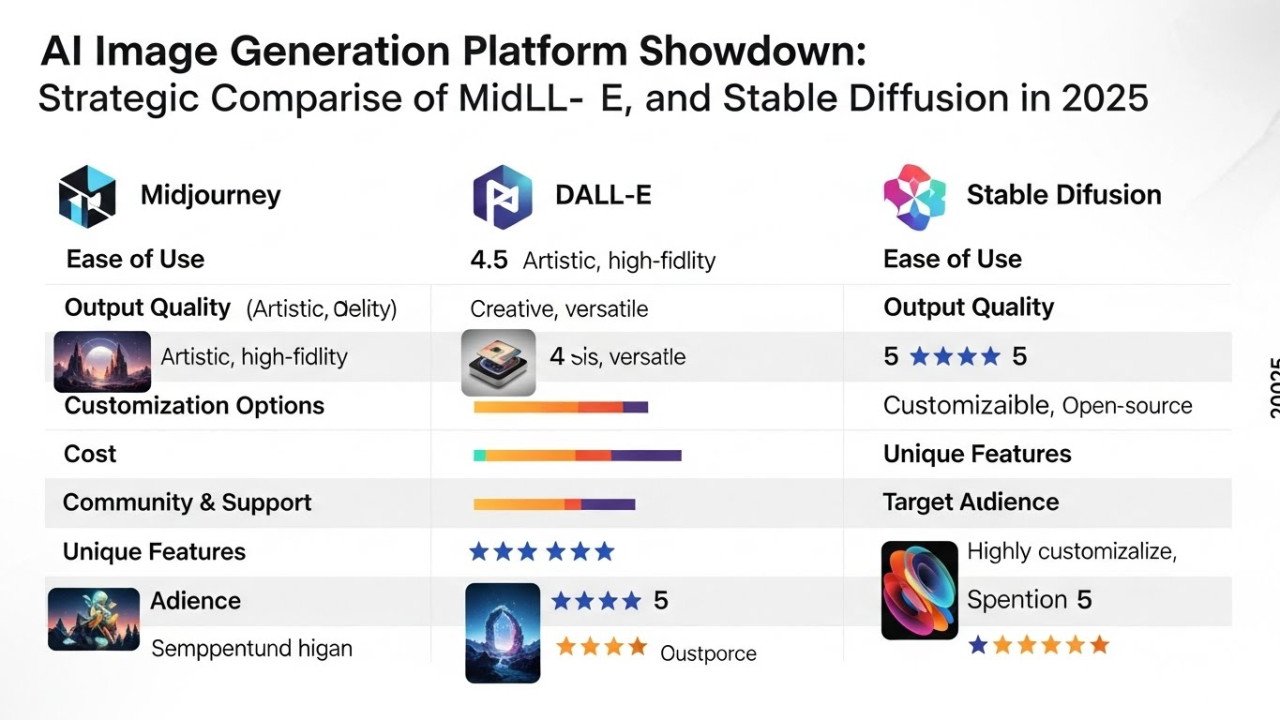
DALL-E handles text better than Midjourney. Midjourney excels with artistic direction. Stable Diffusion enables parameter-intensive customization. Flux prioritizes speed. Using platform misaligned with requirements leaves potential value unrealized.
Why This Happens: Switching platforms creates friction. Familiar tools feel efficient despite suboptimality.
The Solution: Match platform to task:
| Task | Optimal Platform | Rationale |
|---|---|---|
| Text-heavy imagery | DALL-E 4o | Superior text rendering |
| Artistic direction | Midjourney | Excellent aesthetic control |
| Parameter customization | Stable Diffusion | Maximum technical control |
| Speed emphasis | Flux Schnell | Fast generation times |
| Photorealistic portraiture | Google Imagen | Strong photorealism capability |
Specialized task investment pays dividends. Spending 30 minutes learning platform optimized for your specific need produces better results faster than hours struggling with suboptimal platform.
Mistake #12: Ignoring Post-Production Enhancement
The Problem: Users treat AI generation as final output, ignoring that professional results typically require refinement. The best AI-generated images improve through subtle post-processing: color grading, contrast adjustment, detail enhancement, cleanup of minor artifacts.
This represents mindset mistake: treating AI as output source rather than content creation first step.
Why This Happens: Post-production feels like "cheating" or admitting AI generation failed. Users want AI to produce final-quality results independently.
The Solution: Normalize post-production refinement as standard professional practice. AI generation produces strong foundation; post-production elevates to publication quality:
Color grading: Adjust tone, saturation, and hue for intentional mood
Upscaling: Enhance resolution through AI upscalers (Topaz Gigapixel, Real-ESRGAN)
Inpainting: Regenerate problematic regions using inpainting tools
Detail enhancement: Add texture and detail lacking in original
Artifact removal: Eliminate obvious AI artifacts through cleanup tools
This two-phase approach (AI generation + professional post-production) produces publication-ready results reliably.
Frequently Asked Questions: Common Problem Scenarios
Why do my prompts generate generic-looking images?
You're likely underspecifying artistic direction. Add explicit style references, lighting specifications, and mood descriptors. Generic prompts produce generic results; specific prompts produce distinctive results.
How do I fix distorted hands in generated images?
Use inpainting tools to regenerate hand regions, or accept hand concealment through framing/positioning. For critical hand detail, consider requesting distant framing or concealed hands explicitly in prompts.
Why do my images look obviously AI-generated?
Most likely: excessive guidance scale (reduce to 5-8), insufficient sampling steps (increase to 75+), missing film grain/texture detail. Add de-AI specifications: "add subtle film grain," "natural texture variation," "organic imperfections."
Should I include negative prompts?
Yes, absolutely. Explicitly exclude unwanted elements: "avoid: text, watermarks, blurry areas, distorted hands, unnatural artifacts." This focuses AI generation toward desired result.
How do I ensure brand consistency across multiple AI generations?
Fix seed values when modifying only prompts, maintain consistent style references across generations, use reference images guiding aesthetic, or employ platform brand consistency tools where available.
What resolution should I generate at?
Generate at highest platform offers, then upscale if higher resolution needed. Modern upscalers (Real-ESRGAN, Topaz) enhance resolution without degradation.
Can I fix bad AI images or should I regenerate?
Evaluate regeneration vs. refinement cost. If minor issues, inpainting or post-processing may be faster. If fundamental problems, regeneration with refined prompts likely more efficient.
Why does my AI sometimes ignore parts of my prompt?
Likely prompt overload. Simplify by removing lower-priority details. AI processes prompts sequentially; excessive detail causes later instructions to be ignored.
Should I use the same seed every time?
No—vary seeds when exploring directions. Fix seeds when testing parameter variations for A-B comparison. Seed variation produces diversity; fixed seeds enable controlled testing.
How do I get more photorealistic results?
Specify "photorealistic," include camera and lens details, add specific lighting specifications, reduce compositional complexity, use higher guidance scale (7-9), and increase sampling steps (75+).




Comments (0)
No comments found