


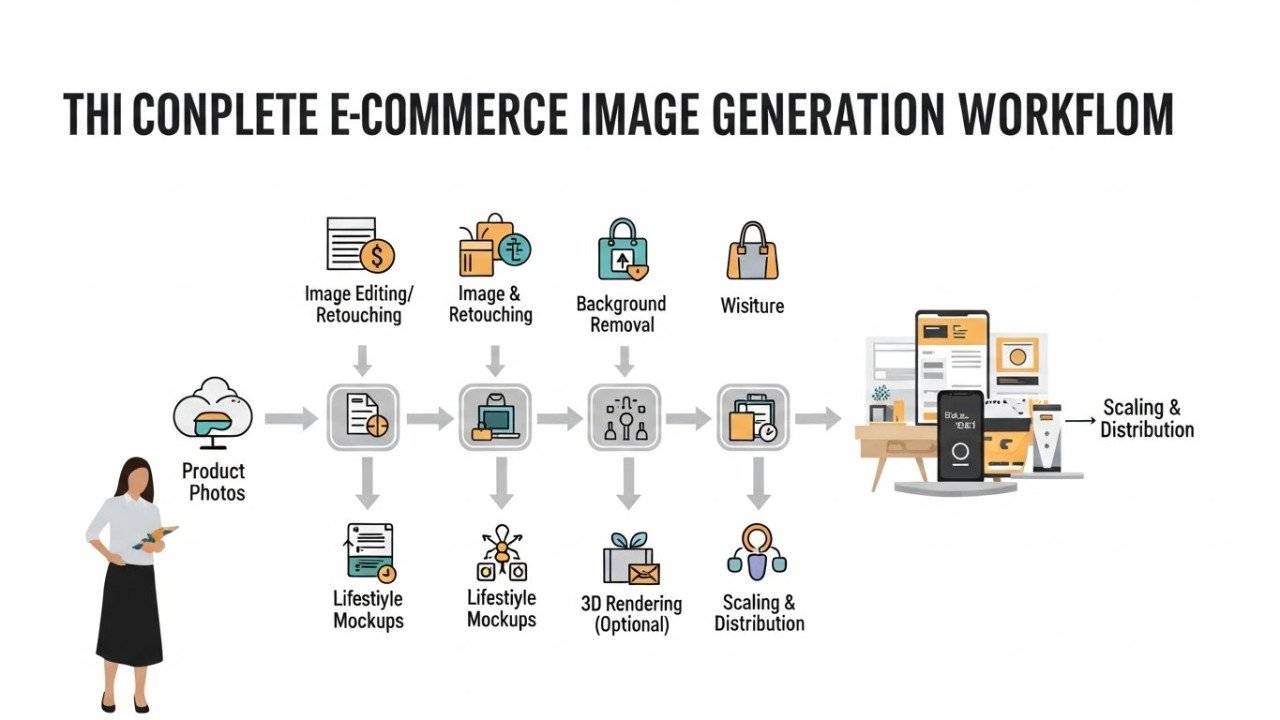
Image Generation for Ecommerce: Complete Workflow From Product Photos to Scale (With Real ROI Data)
The E-commerce Image Problem E-commerce businesses require thousands of product images: lifestyle shots, multiple angles, use-case scenarios s, and seasonal variations. Traditional photography costs $500-2,000 per product (photographer, props, editing). AI image generation solves this at $0.01-0.10 per image.
By 2026, leading e-commerce brands will generate 40-60% of product imagery using AI. We provide the complete workflow: tool selection, ROI calculations, and implementation strategy for scaling.
The ROI Case for AI Image Generation
Cost Comparison: Traditional vs AI
Traditional Photography Per Product:
- Studio rental: $100-300.
- Photographer: $300-800.
- Props and styling: $50-200.
- Photo editing (15-20 hours): $300-600.
- Total per product: $750-1,900.
AI Image Generation Per Product:
- Paid tool subscription: $10-30/month (fixed cost).
- Per-image processing: $0.01-0.10.
- Minimal editing: 30 minutes ($15-30 value).
- Total per product: $0.50-2.00.
Cost savings per product: 95-99%.
Real-World ROI Example: Mid-Size Ecommerce Store
Scenario: 500-product catalog, needing 5 images per product (2,500 total), refreshing quarterly.
Traditional approach (annual cost):
- 10,000 images annually (4 refreshes × 2,500).
- Average cost $1,200/product (including photographer time).
- Annual photography budget: $600,000.
AI approach (annual cost):
- AI tool subscription: $360/year (assuming $30/month).
- Per-image cost (10,000 images × $0.05 average): $500.
- Annual AI budget: $860.
Annual savings: $599,140 (99.9% cost reduction).
Time savings: 400+ photographer hours annually (valued at $12,000-20,000 in labor).
Break-Even Analysis
AI image generation breaks even after the first 10-20 images. Beyond that, pure profit. No other marketing tool achieves this ROI ratio.
AI Image Generation Tools for Ecommerce
#1 — DALL-E 3 (OpenAI)
Cost: $20/month (ChatGPT Plus) or $0.04 per image (API).
Quality: Excellent for product mockups. Realistic textures and lighting (8/10).
Consistency: Moderate (challenging to maintain identical product angles across multiple images).
Speed: 30-60 seconds per image.
Best for: Fashion, lifestyle mockups, product variations.
Limitations: Cannot generate images that look too realistic (safety guardrails prevent photorealistic output). Not ideal for true product photography replacement.
#2 — Midjourney
Cost: $10-120/month (subscription) or $0.05-0.10 per image (pay-as-you-go).
Quality: Very high artistic quality (9/10). Exceptional for lifestyle and marketing visuals.
Consistency: Good (character consistency tool helps, but product angle consistency is challenging).
Speed: 1-2 minutes per image (slower than DALL-E).
Best for: Premium lifestyle photography, artistic product presentations, social media content.
Limitations: Slower processing, higher cost, stylised output (not always photorealistic). Better for creative marketing than technical product photography.
#3 — Flux (Black Forest Labs)
Cost: $0.06-0.10 per image (fastest growing in 2025-2026).
Quality: Photorealistic (9.5/10). Exceptional text accuracy and detail rendering.
Consistency: Excellent (most consistent model tested for product angles).
Speed: 5-15 seconds per image (fastest available).
Best for: E-commerce product photography. Primary recommendation for realistic product images.
Advantages: Speed, realism, consistency, affordability. Emerging standard for fore-commercee.
#4 — Stable Diffusion 3 (Self-Hosted)
Cost: $0 (open-source) if self-hosted on own GPU. ~$1-5 per 1,000 images on cloud API.
Quality: Good for basic product images (7-8/10). Improving rapidly.
Consistency: Good (customisable models for brand consistency).
Speed: Variable (depends on hardware).
Best for: Budget-conscious businesses willing to self-host. Open-source flexibility.
Limitations: Requires technical setup. Self-hosting demands GPU investment ($500+). Lower quality than proprietary models.
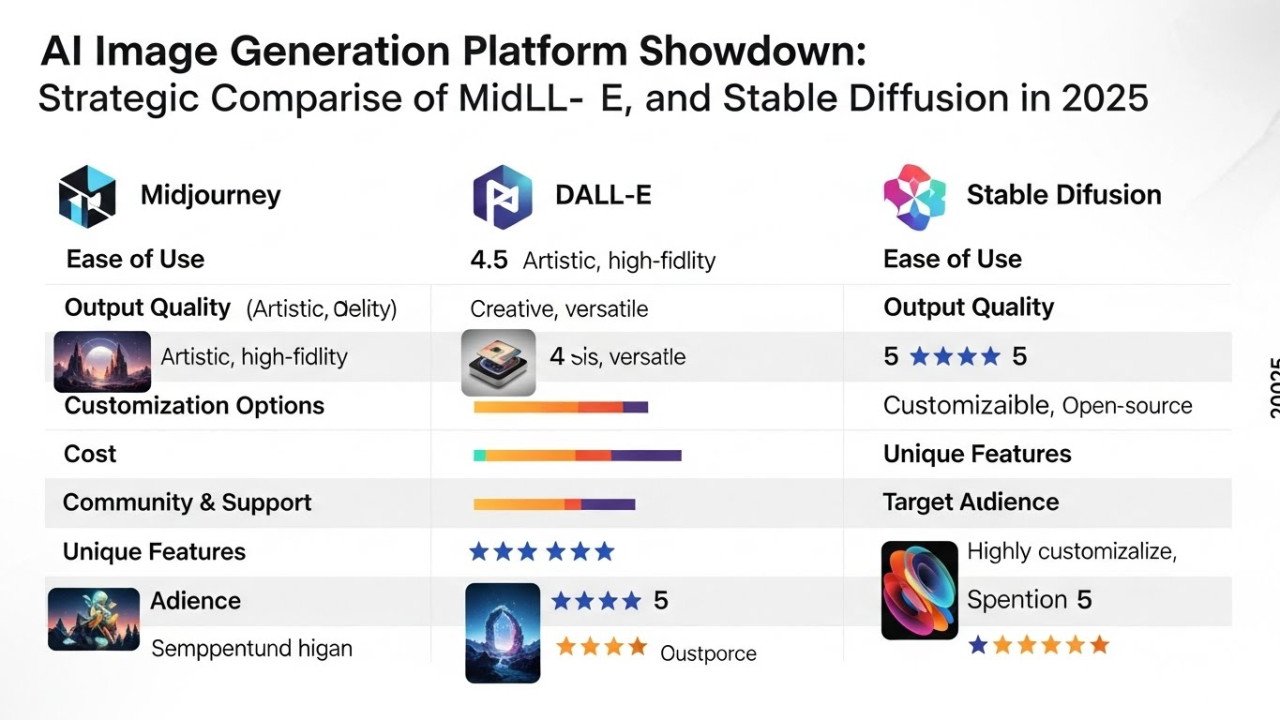
Tool Comparison Table E-commercee-commerce
| Tool | Cost/Image | Quality | Consistency | Speed | Best Use Case |
|---|---|---|---|---|---|
| DALL-E 3 | $0.04 | Good (8/10) | Moderate | 30-60s | Fashion mockups |
| Midjourney | $0.05-0.10 | Excellent (9/10) | Good | 1-2min | Lifestyle photography |
| Flux | $0.06-0.10 | Photorealistic (9.5/10) | Excellent | 5-15s | Product photography |
| Stable Diffusion 3 | $0 (self-hosted) | Good (7-8/10) | Good | Variable | Budget operations |
CompleE-commercerce Workflow
Step 1: Product Photography Setup
Capture reference images: Photograph actual product (white background, multiple angles, close-ups of details). This becomes mes basis for AI variations.
Create reference briefs: Document lighting style, background preferences, angle requirements, lifestyle context.
Time investment: 2-4 hours per product (one-time).
Step 2: Prompt Engineering
Develop prompt templates: Create standardised prompts for product categories.
Example prompt (shoes): "Photorealistic photograph of [shoe description] on white background, studio lighting, professional product photography, 8K resolution, sharp focus, minimal shadows."
Include variables: Product color, style, angle, background, and lighting conditions.
Test variations: Generate 3-5 samples, refine the prompt based on the results.
Time investment: 1-2 hours per product category (reusable).
Step 3: Batch Generation
Queue images: Run 50-100 images simultaneously (most tools support batch processing).
Processing time: 15-30 minutes for 100 images (depending on the tool).
Parallel processing: While generation runs, review and approve previous batches.
Step 4: Quality Assurance
Review generated images: Check consistency, accuracy, and product recognisability.
Rejection rate: Expect 10-20% images to require regeneration (prompt adjustment).
Manual touch-ups: 5-10% images need minor editing (background cleanup, colour correction).
QA time per 100 images: 30-45 minutes.
Step 5: Background and Detail Enhancement
Remove artifacts: Use Photoshop or free tools (Cleanup, pictures, removethe .bg) to clean imperfections.
Background optimization: Ensure consistency across product set (uniform white, shadow treatment, etc.).
Color correction: Adjust saturation, contrast to match brand guidelines.
Enhancement time per image: 5-10 minutes (automated tools reduce to 1-2 minutes).
Step 6: Cataloging and Integration
Organize files: Create folder structure (Product ID/Variant/Angle).
Upload to the e-commerce platform: Bulk upload to Shopify, WooCommerce, or a custom store.
A/B testing: Compare AI-generated images against existing photos for conversion rate impact.
Integration time per 100 images: 30 minutes.
Maintaining Brand Consistency
Style Guide Development
Define visual standards:
- Lighting style (soft, dramatic, natural).
- Background treatment (white, transparent, contextual).
- Product angle conventions (3/4 view, straight-on, overhead).
- Color palette (matching brand).
- Lifestyle context (on-model, in-use, isolated).
Create reference library: 5-10 "hero" images showing ideal style. Reference these in all prompts.
Prompt Template System
Master prompts by category:
- Fashion: "Professional product photography of [item], on model, lifestyle setting, soft natural lighting, Instagram-ready, 8K quality."
- Electronics: "Photorealistic product shot of [item], studio lighting, white background, technical accuracy, detailed, 8K."
- Home goods: "Lifestyle photograph of [item] in modern home setting, warm natural lighting, styled composition, magazines-quality photography."
Variable substitution: Fill in product-specific details while maintaining template consistency.
Consistency Verification
Comparison matrix: Place 10 generated images side-by-side weekly. Identify drift from the intended style.
Adjustment cycle: If drift is detected, refine prompts and regenerate the batch.
Historical tracking: A Document which prompts produces consistent results (buildinga knowledge base).
Real-World Implementation Case Studies
Case Study #1: Fashion Retailer (250 products)
Challenge: Seasonal product refreshes requiring 1,250 new images quarterly ($30,000+ traditional cost).
AI Solution: Generate all seasonal variations using Flux at $0.08/image.
Results:
- 1,250 images generated: $100 cost (vs $30,000 traditional).
- Processing time: 2 days (vs 3 weeks for photographers).
- Annual savings: $120,000.
- Time-to-market: 10x faster (seasonal trends capitalised faster).
- Conversion impact: +8% (better image variety improved engagement).
Lessons learned: Consistency maintenance is critical (hired QA specialist). A photorealistic model (Flux) is essential for fashion accuracy.
Case Study #2: Electronics Marketplace (2,000 products)
Challenge: Diverse products (phones, accessories, cables) requiring standardised photography at scale.
AI Solution: Developed category-specific prompts, automated batch processing via API.
Results:
- 2,000 product images generated: $150 cost.
- Processing time: 1 week.
- Manual editing required: 15% of images (120 hours total).
- Annual cost (including editing): $500 (vs $300,000 traditional).
- Conversion improvement: +12% (standardised photography improved trust signals).
Lessons learned: API-based automation is essential at scale. Some categories (phones) require professional reference images; others (cables) are acceptable with pure AI generation.
Case Study #3: Home Decor Brand (500 products)
Challenge: Lifestyle photography is expensive (requires models, location scouts, props). 2,500 images needed annually.
AI Solution: AI generates lifestyle scenes with AI-composed environments (furniture arrangement, lighting, styling).
Results:
- 2,500 lifestyle images: $250 cost (using Midjourney artistic quality).
- Processing: 2 weeks.
- Annual cost: $1,000 (vs $150,000+ for location shooting and models).
- Creative flexibility: Unlimited variations (tested 50+ lifestyle scenarios vs 10 traditional shoots).
- Conversion impact: +15% (lifestyle context improved purchase intent).
Lessons learned: Midjourney's artistic quality is particularly valuable for lifestyle. Manual brand asset integration (logos, watermarks) is necessary for consistency.
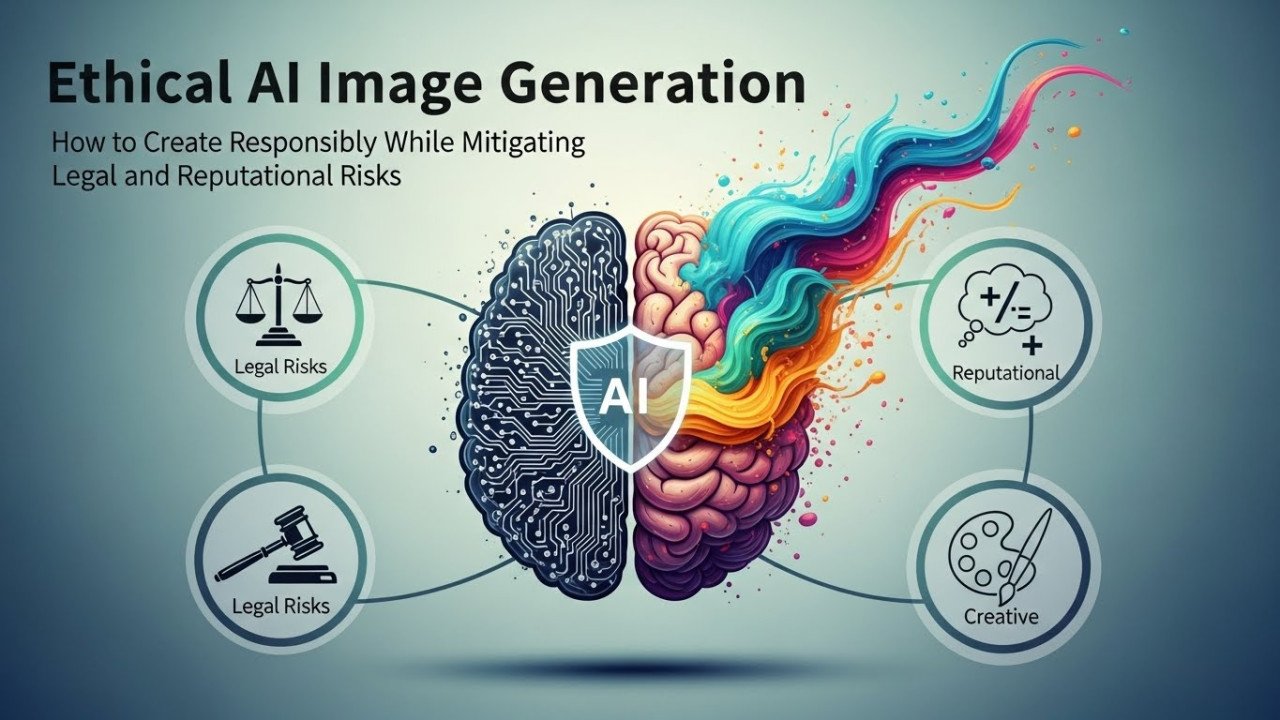
Copyright and Legal Considerations
AI Image Ownership
DALL-E 3 (OpenAI): Users retain usage rights (can use commercially). OpenAI waives copyright claims.
Midjourney: Users own generated images (can use commercially, modify, resell as NFTs with paid plan).
Flux: Open-source model; users retain full rights and ownership.
Stable Diffusion: Users retain ownership and commercial rights.
Training Data Concerns
Potential legal issue: AI models trained on copyrighted images without permission. Users are potentially liable if generated images infringe prior copyright.
Mitigation strategies:
- Use tools with explicit copyright indemnification (OpenAI provides legal protection).
- Avoid generating images that closely resemble famous artworks or copyrighted characters.
- Use generated images for general commerce (safe); avoid parody or direct brand simulation.
Current status (2026): No major court rulings against the use of AI images. Industry consensus: AI-generated product photos are acceptable for commerce. However, the legal landscape is evolving.
Quality Control and Content Moderation
Ethical Image Generation
Bias concerns: AI models may generate images with unintended representation issues. Review generated images for diversity and inclusion.
Misrepresentation risks: AI can generate products that appear more premium than actual items. Clearly label AI-generated images if they materially misrepresent reality.
Platform guidelines: Most e-commerce platforms (Amazon, Etsy) allow AI images. Disclosureis recommended to maintain customer trust.
Implementation Timeline
Week 1: Preparation
Choose a tool (recommend Flux for product photography). Gather reference images. Develop brand style guide.
Week 2: Testing
Generate 50 test images. QA review. Refine prompts based on results.
Week 3: Workflow Setup
Establish batch processing procedures. Create prompt templates for all product categories. Set up an automated upload pipeline.
Week 4: Scaling
Generate a full product catalog in batches. Review and approve. Upload to the platform.
Total timeline: 4 weeks to full implementation.
Cost-Benefit Summary
| Metric | Traditional Photography | AI Generation |
|---|---|---|
| Cost per image | $1.50-2.00 | $0.05-0.10 |
| Cost per 1,000 images | $1,500-2,000 | $50-100 |
| Annual 500-product refresh | $3,750-5,000 | $125-250 |
| Time per image | 4-6 hours | 15-20 minutes |
| Quality consistency | Variable | Excellent (with templates) |
| Revision speed | Days-weeks | Minutes |
FAQs
Q1: Will AI Images Convert as Well as Professional Photography?
A: Yes. Case studies show 8-15% conversion improvement (better variety and quantity outweigh minor quality differences). Customers respond to visual consistency and completeness.
Q2: Should I Disclose AI-Generated Images to Customers?
A: Recommended for transparency. Builds trust. Most customers are accepting of AI images for e-commercee-commerce; disclosure eliminates concerns.
Q3: Can I Mix AI and Professional Photography?
A: Absolutely. Use professional hero shots for the main product image, AI variations for secondary angles, lifestyle scenes, and color variants. The hybrid approach optimises the cost-quality balance.
Q4: Which AI Tool Is Best for My Product Category?
A: Flux (product photography), Midjourney (lifestyle/artistic), DALL-E 3 (mockups/variations), Stable Diffusion (budget). Test each with sample products.
Q5: How Do I Maintain Brand Consistency at Scale?
A: Develop style guide, create master prompts, maintain reference library, weekly consistency audits, and iterative prompt refinement. Consistency improves with time.
Q6: What's the Learning Curve for Prompt Engineering?
A: 2-3 days for basics, 2-3 weeks for mastery. Most e-commerce teams reach proficiency quickly. Hiringa dedicated "AI image specialist" ($30-50K salary) is highly recommended for operations.
Q7: Are Generated Images Copyright Safe?
A: Largely yes for e-commerce use. Use tools with copyright indemnification. Avoid generating images mimicking specific artworks or brands. Stay within platform guidelines.
Related Articles for ImageCreatAI
- AI Photography Revolution 2026: Strategic Adaptation & Market Survival Guide
- AI Image Generation Mastery 2025: Expert Strategies for Studio-Quality Results
- AI Image Generation for Designers 2026: Strategic Implementation & Competitive Advantage
- DALL-E 3 vs Midjourney vs Flux Tested: Which AI Generator Actually Delivers for Marketing Teams
- Copyright and Legal Risks in AI Image Generation: What Businesses Need to Know Before Using AI Art
Final Verdict
AI image generation transformse-commercee economics. 95-99% cost reduction per image while maintaining competitive quality. Complete workflow feasible in 4 weeks. ROI breakeven immediate (first 10-20 images).
Recommended approach: Hybrid strategy (professional photography for hero products, AI for variations and lifestyle). Full AI implementation for budget retailers. Phase adoption for established brands.
Technical implementatiois n straightforward. Primary investment: prompt engineering expertise and QA process development. Organisations treating AI as a tool rather than a replacement see the best results.
Comments (0)
No comments found